

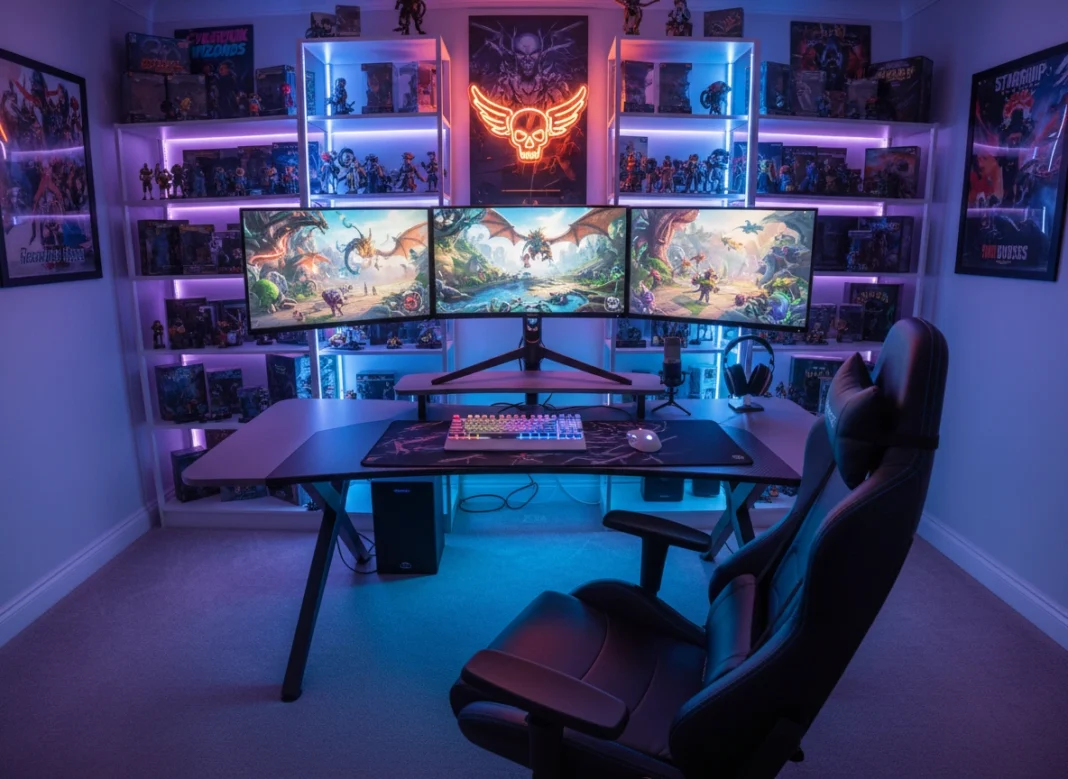
The difference between a frustrating loss and a glorious victory often comes down to milliseconds. While skill plays a massive role in gaming, your environment dictates how well you can perform. A stuttering frame rate, an uncomfortable chair that distracts you, or a mouse that lags can ruin the experience. Building the ultimate gaming setup isn’t just about spending money; it’s about curating a space that immerses you completely in your digital worlds.
Whether you are a competitive shooter fan or an RPG enthusiast, this guide will walk you through crafting a battle station that enhances your gameplay and keeps you comfortable for hours.
Why Your Setup Matters More Than You Think
Many gamers start with whatever equipment they have lying around. A standard office mouse, a slow monitor, and a kitchen chair might get you through casual sessions. However, dedicated gaming hardware offers tangible advantages.
High-refresh-rate monitors allow you to see enemies sooner. Mechanical keyboards register inputs faster. Ergonomic chairs prevent the back pain that forces you to quit early. Your setup is the physical interface between you and the game. When you remove friction from that interface, you play better and enjoy it more. It transforms gaming from a simple hobby into a premium experience.
The Core: Choosing Your Engine (PC vs. Console)
The heart of your setup is the machine powering it. The age-old debate between PC and console boils down to preference, budget, and technical comfort.
The Case for PC Gaming
If you want raw power and customization, a PC is the superior choice. Building a PC allows you to upgrade components individually over time.
- Performance: PCs can push higher frame rates and resolutions than any console.
- Versatility: A PC doubles as a workstation for editing, streaming, or coding.
- Library: The PC game library is vast, spanning decades of titles and indie gems.
When building a PC, prioritize your GPU (Graphics Processing Unit). This single component does the heavy lifting for visual fidelity. Pair it with a capable CPU and at least 16GB of RAM to ensure smooth multitasking.
The Case for Consoles
Consoles like the PlayStation 5 or Xbox Series X offer a plug-and-play experience. They are significantly cheaper than a high-end PC and provide exclusive titles you can’t play elsewhere.
- Simplicity: No drivers to update or hardware compatibility issues to solve.
- Optimization: Developers optimize games specifically for the console’s hardware, ensuring stable performance.
- Cost: You get high-fidelity 4K gaming for a fraction of the cost of a comparable PC.
Visual Fidelity: Selecting the Right Monitor
Your powerful machine is useless if your monitor can’t display the frames it produces. The monitor is your window into the game world, so choose wisely.
Resolution vs. Refresh Rate
You often have to choose between how sharp the image looks (resolution) and how smooth the motion is (refresh rate).
- 1080p (Full HD): The standard for competitive gaming. It’s easier for your GPU to drive high frame rates (144Hz, 240Hz, or even 360Hz) at this resolution.
- 1440p (QHD): The “sweet spot” for most gamers. It offers a noticeable upgrade in sharpness over 1080p without demanding the massive horsepower required for 4K.
- 4K (UHD): The ultimate for visual clarity. Best for slow-paced, scenic single-player games, though driving 4K at high refresh rates requires a top-tier GPU.
Panel Technology
- TN Panels: Fast and cheap but suffer from poor viewing angles and washed-out colors.
- IPS Panels: Offer great colors and viewing angles with decent speed. The best all-around choice.
- OLED: The gold standard for contrast and true blacks, offering an incredible visual experience, though usually at a premium price.
Ergonomics: The Importance of a Good Chair
You might spend more time in your gaming chair than in your car or on your couch. Ignoring ergonomics is a recipe for long-term health issues. The “racing style” gaming chair is popular, but looks aren’t everything.
What to Look For
Focus on adjustability. A good chair should allow you to change the seat height, armrest position, and lumbar support. Your feet should rest flat on the floor, and your elbows should form a 90-degree angle with your desk.
Mesh chairs are excellent for breathability during long, intense sessions, while high-quality foam seats offer better cushioning. Don’t be afraid to look at premium office chairs instead of “gaming” branded ones; they often provide superior ergonomic support.
The Tools of the Trade: Essential Peripherals
Your hands interact with the keyboard and mouse constantly. These peripherals need to feel like extensions of your body.
Mechanical Keyboards
Ditch the membrane keyboard. Mechanical switches provide tactile feedback that helps you know exactly when a keypress registers.
- Linear Switches (Red): Smooth and quiet, preferred for fast-paced gaming.
- Tactile Switches (Brown): Offer a slight bump when pressed, good for typing and gaming mix.
- Clicky Switches (Blue): Loud and tactile, satisfying for typing but can be noisy for voice chat.
The Right Mouse
Shape and weight are critical. Competitive shooter players generally prefer lightweight mice (under 80g) for quick flicks. MMO players might want a heavier mouse with extra side buttons for macros. ensure the sensor is flawless—look for optical sensors from reputable brands to avoid spin-outs or jitter.
Audio Immersion
A quality headset gives you a competitive edge by letting you hear footsteps and directional audio cues.
- Open-Back Headphones: Offer a wider soundstage (more natural sound) but leak sound into the room.
- Closed-Back Headphones: Isolate you from outside noise, keeping you immersed.
- Microphone Quality: If you play with friends, a clear mic is essential. If your headset mic is poor, consider a standalone USB microphone.
Setting the Mood: Lighting and Ambiance
The “RGB” (Red Green Blue) lighting trend is a staple of gaming setups, but it serves a purpose beyond aesthetics. Proper lighting reduces eye strain.
Bias Lighting
Placing an LED strip behind your monitor creates “bias lighting.” This gentle glow reduces the contrast between your bright screen and the dark room, preventing your eyes from getting tired during late-night sessions.
Smart Lighting
Integration with smart home systems allows you to change the room’s color to match the game you are playing. Playing a horror game? Turn the lights deep red. Exploring a forest? Switch to a soft green. This adds a layer of immersion that extends beyond the screen.
The Art of Cable Management
Nothing ruins a beautiful setup faster than a rat’s nest of cables. Good cable management improves airflow and makes your space easier to clean.
Tactics for Clean Cables
- Cable Sleeves: Bundle cables together into a single, neat sleeve running from your PC to the floor.
- Under-Desk Trays: Mount a tray under your desk to hold power strips and excess cable slack.
- Wireless Peripherals: Modern wireless tech is virtually lag-free. Switching to a wireless mouse and headset eliminates the two most annoying cables on your desk.
- Velcro Ties: Use Velcro instead of zip ties. It makes adding or removing cables much easier later.
Budgeting and the Upgrade Path
You do not need to buy everything at once. The beauty of building a setup is that it is a modular process.
Where to Spend vs. Save
- Splurge: Spend money on the things you interact with physically (chair, mouse, keyboard) and your primary display. You feel these differences every second.
- Save: You don’t need the most expensive motherboard or a case with tempered glass on every side. You can also start with 16GB of RAM and add more later.
The Upgrade Strategy
Start with a solid foundation—a good desk and a comfortable chair. Next, secure your PC or console and a decent monitor. Peripherals can be upgraded over time. Maybe you start with a budget headset and upgrade to audiophile headphones next year. Treat your setup as a living project that evolves with your budget and needs.
Conclusion
Building the ultimate gaming setup is a journey of refinement. It starts with understanding what you play and how you play it. It ends with a space that feels uniquely yours—a sanctuary where the outside world fades away, and you can focus entirely on the game.
Start with the essentials: comfort and performance. Don’t get distracted by flashy lights until you have a solid foundation. Plan your budget, manage your cables, and remember that the best setup is the one that makes you excited to sit down and play.
Please visit website for more info