

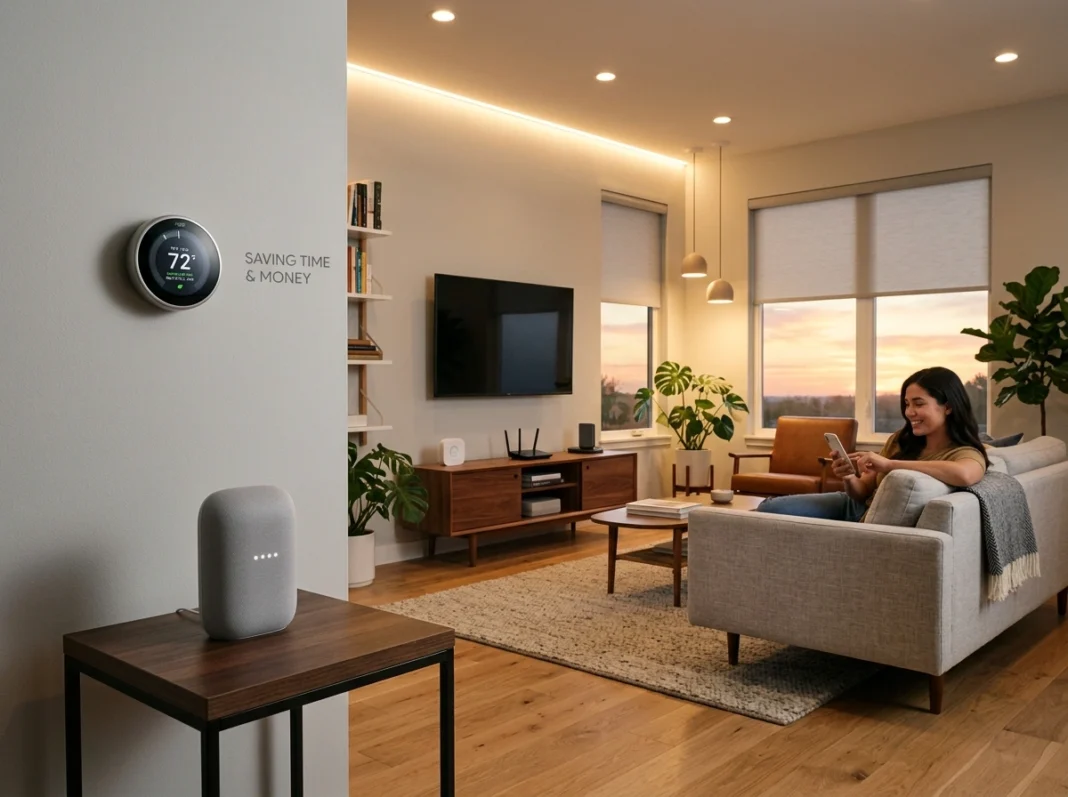
Your home works hard. But it can work smarter. Between rising energy costs and packed schedules, most American households leave money and hours on the table every single week. The good news? A handful of well-chosen smart devices can quietly fix that in the background.
This guide walks you through the smart home setups that deliver the biggest returns, without the tech overwhelm. You’ll learn which devices actually lower your bills, how automation gives you back real time, and how to build a system that fits your home and region.
Quick takeaways:
- Smart thermostats and energy monitoring can trim heating and cooling costs, often the largest chunk of a utility bill.
- Automated lighting and routines eliminate small, repetitive tasks that add up fast.
- A layered smart security setup can save on insurance and prevent costly losses.
Let’s get into the setups worth your money and attention.
Why Smart Home Tech Pays Off
A smart home isn’t about gadgets for their own sake. It’s about outcomes: lower bills, fewer chores, and more peace of mind. When you connect the right devices, your home starts making small decisions for you, all day long.
Those small decisions compound. A thermostat that dials back heat when you leave. Lights that turn themselves off. A leak sensor that catches a drip before it becomes a flood. Individually, each saves a little. Together, they change how your household runs.
The key is choosing tech that fits your climate, your habits, and your budget. A setup that works in humid Florida looks different from one in dry Arizona or snowy Minnesota. Tailoring your choices to your region is where the real savings live.
Smart Thermostats: The Biggest Money Saver
Heating and cooling typically make up the largest share of a home energy bill. That’s exactly why a smart thermostat is the first upgrade most experts recommend.
How they save money
A smart thermostat learns your schedule and adjusts temperatures automatically. It backs off heating or cooling when you’re asleep or away, then brings the house back to comfort right before you need it. Many models show you energy reports, so you can spot waste and fix it.
Depending on your climate and habits, homeowners often see meaningful reductions on heating and cooling costs after switching. In extreme-weather regions, those savings tend to be even larger because the system runs harder to begin with.
How they save time
You set your preferences once, and the device handles the rest. No more running back to adjust the dial. Geofencing uses your phone’s location to sense when you’re heading home, warming or cooling the house before you walk in.
Takeaway: If you only add one device this year, make it a smart thermostat.
Lighting Automation: Small Habit, Big Results
Lighting seems minor until you count how many times a day you flip a switch. Automated lighting removes that entirely and cuts wasted electricity along the way.
Practical lighting setups
- Motion-activated lights in hallways, closets, and bathrooms turn on only when someone’s there.
- Scheduled lighting matches your daily rhythm, dimming in the evening and brightening in the morning.
- Away mode randomizes lights while you travel, making your home look occupied.
Swap in LED smart bulbs and you compound the savings. LEDs already use far less energy than older bulbs, and automation ensures they’re never left on by accident.
The time factor
You stop thinking about lights altogether. Set a “Good Night” scene that turns off every bulb in the house with one tap or voice command. That’s the whole point of automation: fewer tiny tasks, more mental space.
Energy Monitoring: See Where the Money Goes
You can’t cut what you can’t see. Energy monitoring tools show you, in real time, how much electricity each part of your home uses.
What monitoring reveals
A whole-home energy monitor connects to your electrical panel and breaks usage down by circuit or device. Suddenly you notice the old fridge in the garage costs more than expected, or that your entertainment center draws power even when it’s off.
Smart plugs offer a lighter, cheaper version of the same idea. Plug in an appliance, and the app tracks its consumption. You can then schedule it, cap it, or cut it entirely.
Turning insight into savings
Once you have the data, the wins are obvious. Shift high-draw activities to off-peak hours if your utility offers time-of-use rates. Kill phantom power from devices that idle all day. Each fix is small, but they stack up over a full year.
Takeaway: Monitoring turns guesswork into a clear plan for lowering your bill.
Smart Security: Protection That Pays for Itself
A smart security system does more than deter intruders. It can lower your homeowners insurance and prevent expensive damage, which is where a lot of the financial value hides.
Core components worth having
- Smart cameras with motion alerts let you check your home from anywhere.
- Video doorbells cut down on package theft and let you screen visitors.
- Smart locks remove the need for hidden keys and let you grant temporary access remotely.
- Water and smoke sensors catch leaks, floods, and fire risks early.
Many U.S. insurers offer discounts for homes with monitored security or safety sensors. Check with your provider, since eligibility and savings vary by state and carrier.
The time and stress savings
You stop worrying about whether you locked the door. You get an alert instead of a surprise. And when a sensor flags a slow leak, you save yourself thousands in repair costs and hours of cleanup.
Voice Assistants: Your Home’s Command Center
Voice assistants tie everything together. Instead of juggling apps, you speak a command and your devices respond.
Everyday value
Ask for the weather while you make coffee. Set timers hands-free while cooking. Adjust the thermostat, dim the lights, and lock the doors, all without touching a screen. For busy households and for people with mobility challenges, this convenience is genuinely useful.
Voice control also lowers the barrier for the whole family. Kids and less tech-savvy family members can operate the smart home without learning any apps.
A note on compatibility
Before you buy, confirm your devices work with your chosen assistant. Sticking to one ecosystem keeps setup simple and avoids frustrating gaps. Doing a little homework here saves you real time later.
Automated Routines: Where the Magic Happens
Individual devices are helpful. Routines make them powerful. A routine chains several actions into one trigger, so your home responds like it’s thinking ahead.
Routines worth building
- Morning: Lights fade up, thermostat rises, and you hear a quick news brief.
- Leaving home: Lights off, thermostat set to eco, doors locked, cameras armed.
- Movie night: Lights dim, blinds close, and the TV switches on.
- Bedtime: Everything powers down, doors confirm locked, and security arms.
Each routine replaces a handful of manual steps. Over a week, that’s dozens of tasks you never touch again. That reclaimed time is the payoff people underestimate most.
For deeper, curated recommendations on building these setups, tech-hence.com breaks down device comparisons and step-by-step guides worth bookmarking.
Common Mistakes to Avoid
Even great tech can disappoint if you set it up wrong. Watch for these pitfalls:
- Buying too much at once. Start with one or two high-impact devices, learn them, then expand.
- Ignoring compatibility. Mixing ecosystems creates headaches. Plan around one hub when possible.
- Skipping the data. If you never check energy reports, you miss the savings.
- Weak Wi-Fi. Smart devices need a stable network. Upgrade your router before adding a dozen gadgets.
Your Smart Home Starter Checklist
Ready to begin? Use this simple order of priority:
- Install a smart thermostat
- Add smart bulbs to your most-used rooms
- Set up one energy monitor or a few smart plugs
- Add a video doorbell and smart lock
- Choose a voice assistant and connect your devices
- Build three routines: morning, leaving, and bedtime
Tackle one line at a time. There’s no rush, and each step delivers value on its own.
Final Thoughts
A smart home doesn’t have to be complicated or expensive to make a real difference. Start with a smart thermostat to attack your biggest energy cost, layer in automated lighting and monitoring to trim waste, and add security to protect both your home and your wallet. Then tie it all together with voice control and simple routines that hand you back time every day.
The best approach is gradual and tailored to your region, your climate, and your habits. If you’re a homeowner looking to lower bills and simplify your routine, pick one item from the checklist above and start this week. Small, smart steps add up to real savings.